
Libris Translate 0.28.0 · User guide
Category: Context and consistency
Series and volumes
One memory for every volume, and room for each volume’s own choices.
Steps
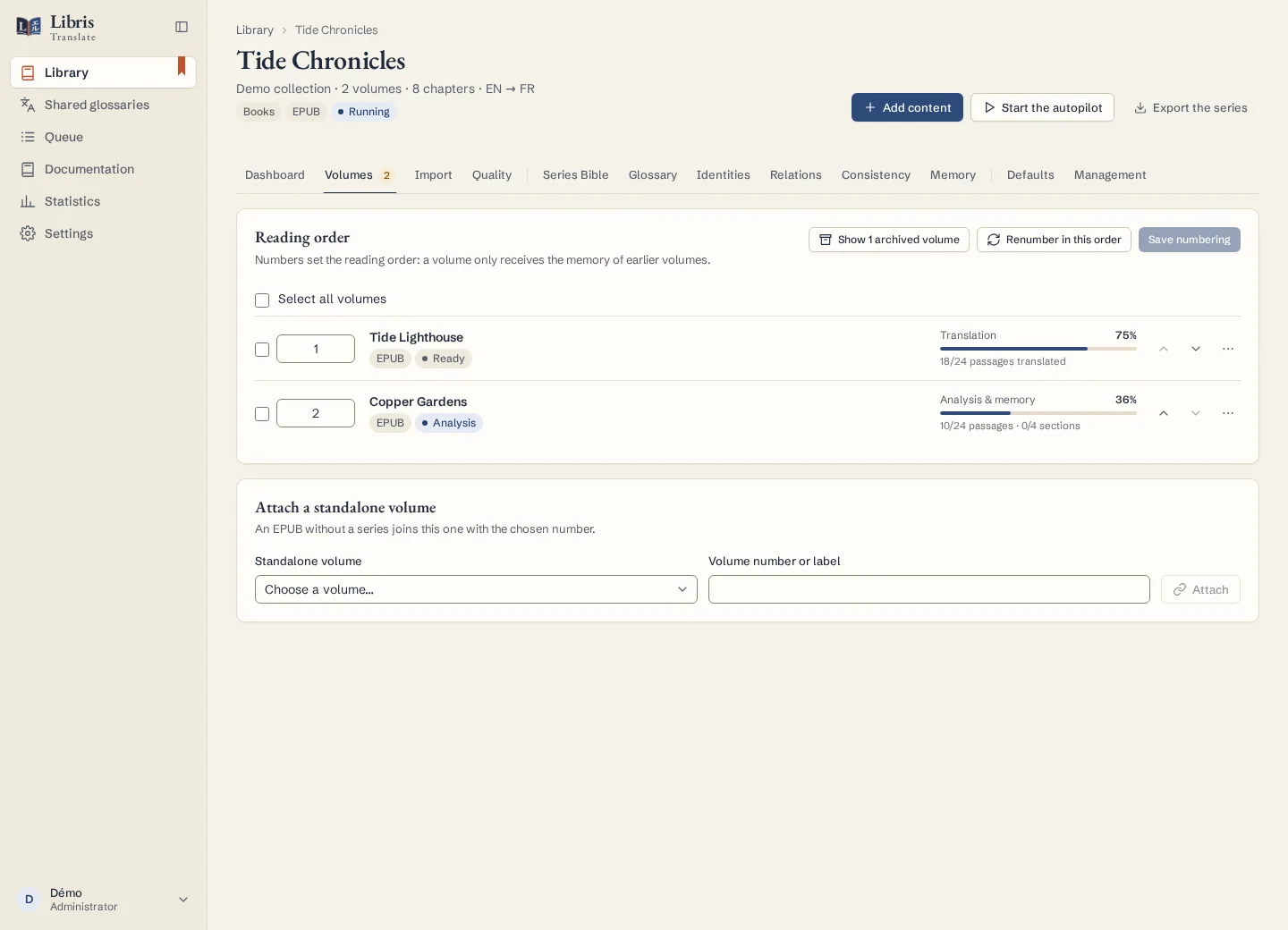
- Create a series when importing with “New series”, or attach a book that has none from the series’ Volumes tab with “Attach a standalone volume”.
- In the Volumes tab, check the reading order: the numbers set it, and a volume only receives the memory of the volumes before it. Move volumes up or down, click “Renumber in this order”, then “Save numbering”.
- In the Defaults tab, set what the volumes share: languages, provider, quality, memory source, series instructions and style sheet. A setting changed inside a volume then belongs to that volume, and the series no longer replaces it.
- The Series Bible, Glossary, Identities and Relations tabs gather what the analysis of each volume found. Accepted series terms apply to the volumes that follow, unless a volume explicitly departs from them.
- The Dashboard tab lists the next actions: volumes without a provider or not analysed yet, and “Chapters to recheck”, whose context changed after they were translated.
What to know
For a chapter to recheck, “Review the chapter” has the AI review it with the current context, which calls the model, while “Mark as checked” closes it without a call. “Detach from the series” turns a volume back into a standalone volume, and the series memory is recomputed without it. A webnovel without volumes goes into the series’ continuous flow. Starting, pausing or cancelling every volume at once is covered in “Run or stop a whole series”.
Fictional example
Lock “Tide Council” → “Conseil des marées” in the glossary of a fictional three-volume series, and give volume 2, narrated by a child, its own register in its style sheet.