
Libris Translate 0.28.0 · User guide
Category: Manage Libris Translate
Batch calls, at half price
Pay half for the work you are willing to wait for.
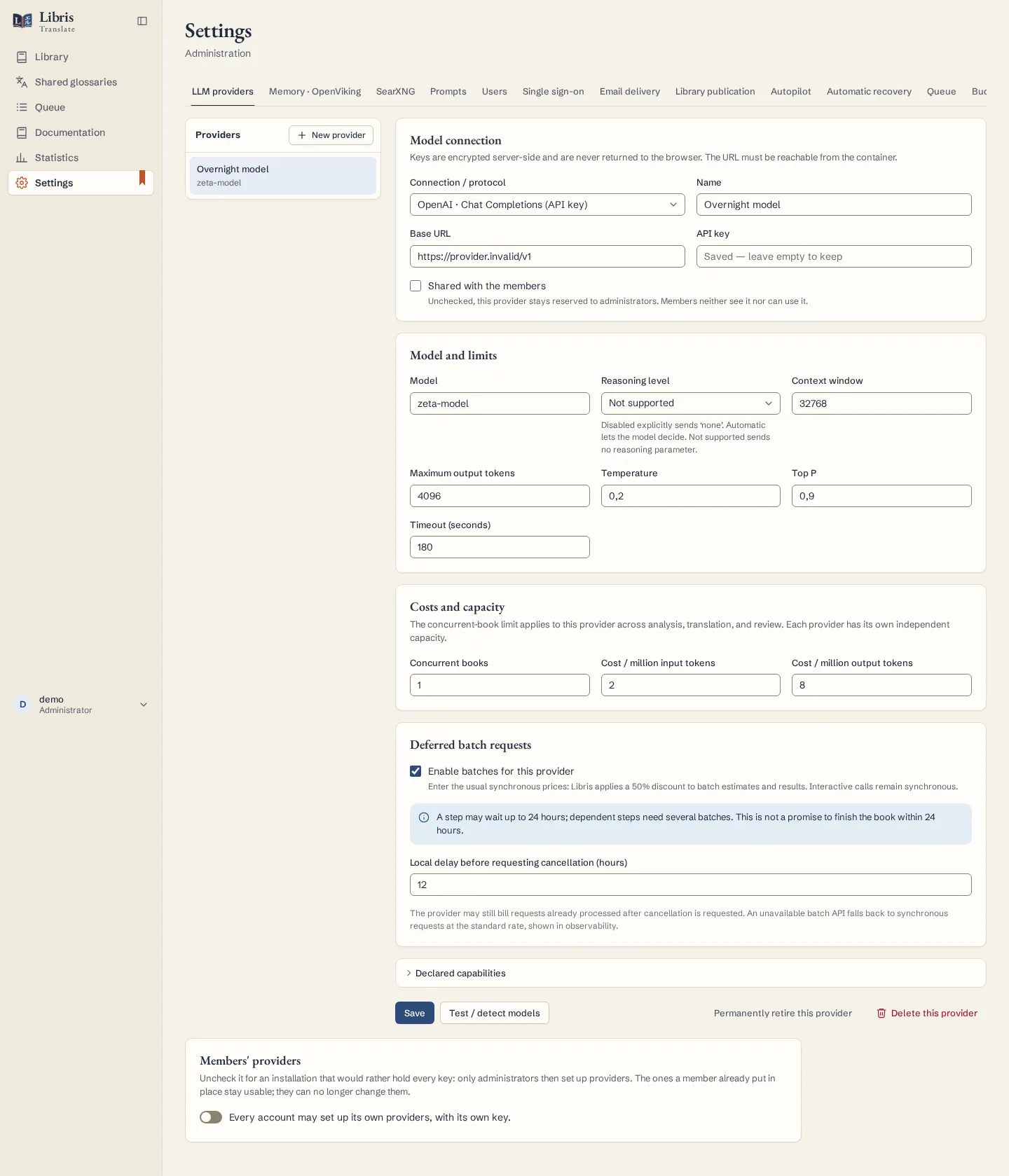
Steps
- Open a provider that offers the OpenAI Batch API or Anthropic Message Batches, and under “Deferred batch requests” tick “Enable batches for this provider”. Keep entering the usual synchronous prices: Libris Translate applies the 50% discount itself.
- Set the “Local delay before requesting cancellation (hours)”, from 1 to 24. It is a Libris Translate limit, not a delivery promise.
- Start a job as usual. Its estimate shows the discounted forecast, and the book’s Observability tab shows the “Provider batch” card: requests collected or pending, submission, next poll.
- Watch for two states. “Batch mode unavailable: synchronous fallback” means the job goes on at the normal rate. “Batch submission needs checking” means the provider’s acknowledgement was lost: look for the batch in the provider’s dashboard before anything else, then use “Verify and reconnect this batch”.
What to know
OpenAI and Anthropic charge half for batch work and allow themselves up to 24 hours to process it. Steps that depend on earlier results need several successive batches, so a whole book can take longer than a day. A cancellation is not immediate, and requests already processed may still be billed. Batches are not available with a ChatGPT account connection; interactive calls stay synchronous. Results already paid for are collected even outside the work window.
Fictional example
Turn batches on for one fictional provider, start an overnight analysis, and compare its recorded cost the next morning with the same work run synchronously.