
Libris Translate 0.28.0 · User guide
Category: Translate and review
Autopilot
Libris Translate takes the book to the result on its own and logs every decision with its reason.
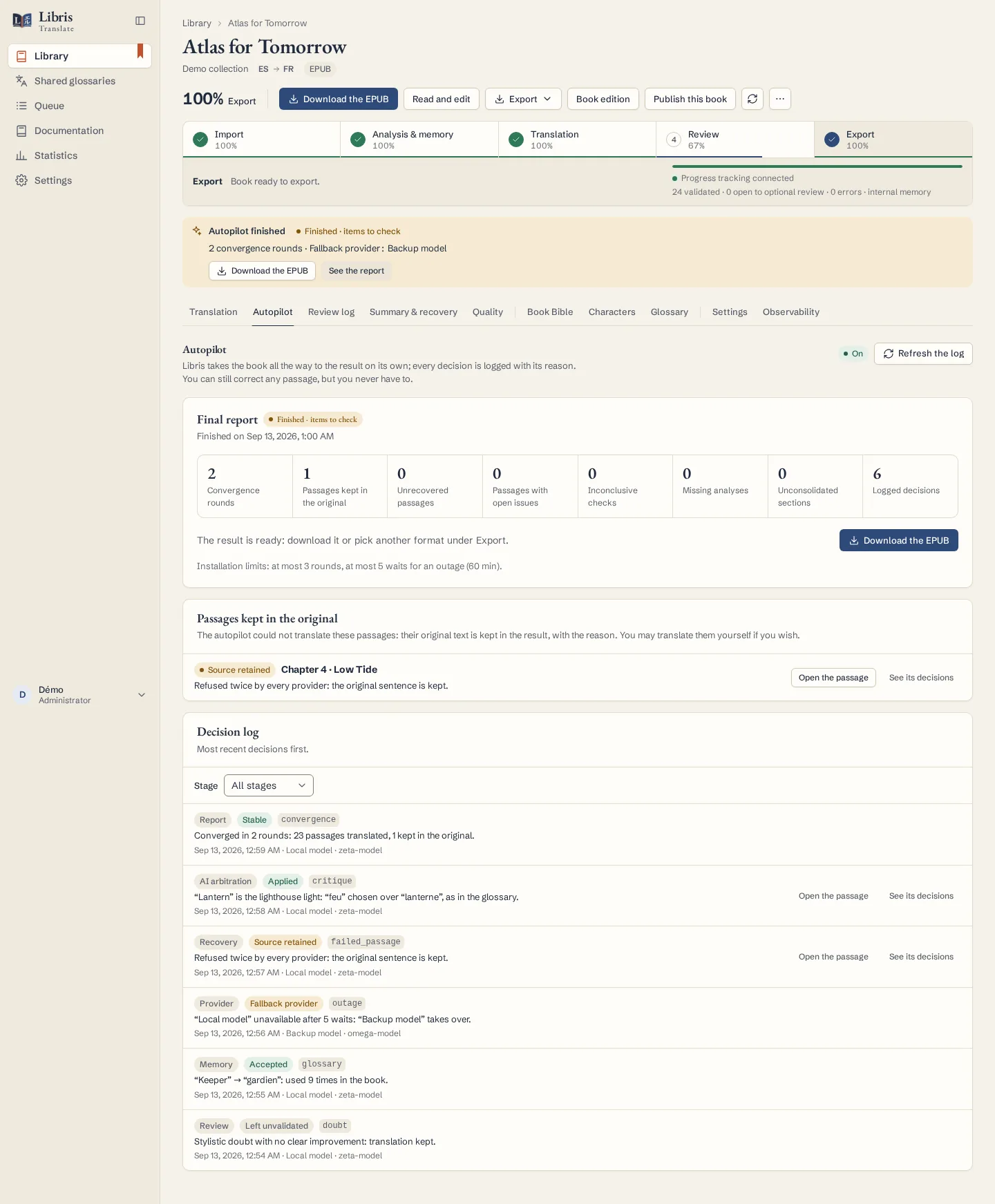
Steps
- The autopilot is on by default. In the book’s Settings tab, the Autopilot card shows the installation setting and lets you turn it off for this book. It also lists the fallback providers, tried in order when the book’s provider is down or refuses its credentials, and the stronger model used for passages that keep failing.
- Click “Start the autopilot” on the book’s page, or choose “Import and run the whole pipeline” when importing. Analysis, translation, recovery, final review, AI arbitration and settling follow one another with nothing for you to approve.
- Open the Autopilot tab. The final report gives the convergence rounds, the passages kept in the original and the logged decisions; “Download the result” gets you the book.
- In the “Decision log”, filter by stage, or click “See its decisions” on a passage, to understand a retry, a change of provider or an original that was kept.
- If the job stopped because of the budget, the licence or a manual pause, deal with the cause, for instance with “Raise the budget”, then click “Resume”: such a job waits for you. A provider outage is different, since Libris Translate retries on its own and shows when.
What to know
By default the autopilot runs at most 3 rounds of recovery, final review and arbitration; an administrator can allow 1 to 10. A provider outage is waited out up to 5 times and for 60 minutes at most, then the next provider takes over; a provider that refuses its credentials is replaced at once. When some passages could not be translated by any model, the stronger one included, the banner reads “Finished · 3 passages not translated” in orange rather than green, and the report names each passage with its reason.
Fictional example
On a fictional demonstration chapter, open the decision log and find why a glossary proposal was accepted, then why one refused passage kept its original text.