
Libris Translate 0.28.0 · User guide
Category: Manage Libris Translate
Queue and progress
See what is running, what waits and why, and who goes next.
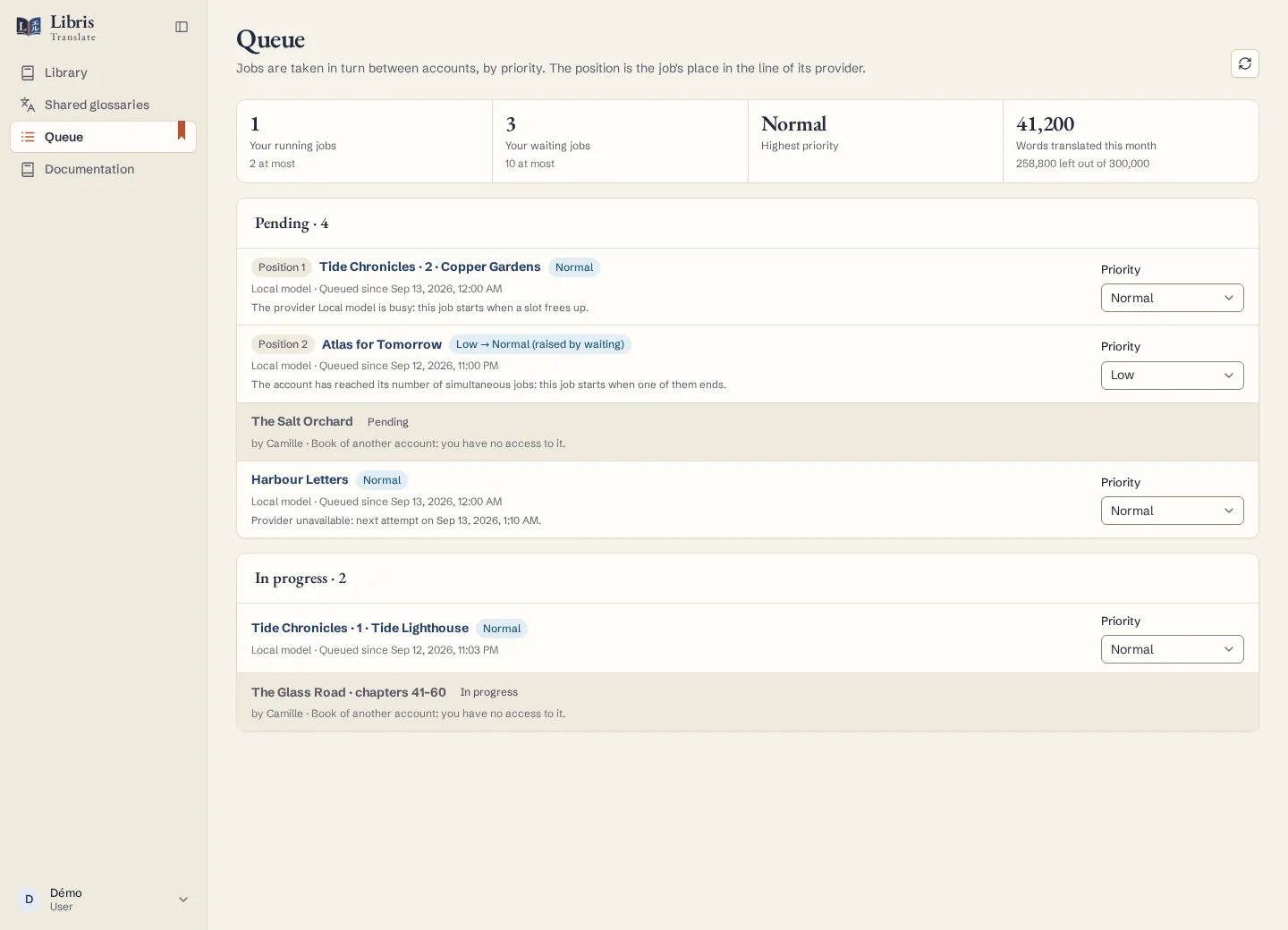
Steps
- Open Queue in the sidebar. “Your running jobs” and “Your waiting jobs” show each job’s position in its provider’s line and the reason it waits: a busy provider, a limit of simultaneous jobs, a provider outage with the next attempt, or an earlier volume of the series still running.
- Change a waiting job’s priority: Low, Normal or High. High priority is reserved to administrators, unless an account is allowed it.
- On the book’s page, use “Pause”, “Resume”, “Retry now” or “Cancel job”, and read why a job stopped before starting it again.
- Administrators set the fair queue under Settings › Queue: “Simultaneous jobs per account”, “Waiting jobs per account”, “Priority raise (minutes)” and “Words a month per account”.
What to know
Jobs are taken in turn between accounts, by priority, so one large backlog does not hold everyone else up. A job rises one priority level for every 60 minutes of waiting by default. The volumes of a series run one at a time, in reading order. Beyond the waiting-jobs limit, a new job or API request is refused with HTTP 429. A per-account word quota refuses a new book that does not fit, margin included; a book already counted is always translated. Cancelling keeps the checkpoints already saved but does not make an incomplete book finished.
Fictional example
Start two fictional books from two accounts, raise one to High as an administrator, and watch the queue alternate between the accounts.