
Libris Translate 0.28.0 · User guide
Category: Context and consistency
Glossaries
Keep names and terms consistent in a book, a series and a whole universe.
On video
What the video shows
- The book page during the Analysis & memory step, sped up.
- The Glossary tab: 18 accepted terms, including Jean de Milan → John of Milan, mas → farmhouse, fifre → fife, meule → millstone and miarro → farm boy.
Steps
- In the book’s Glossary tab, review the terms the analysis proposed. Correct the translation or the category, then tick Accepted or Locked. “Add a human choice” and “Add and lock” add a term of your own.
- In the series’ Glossary tab, accepted terms apply to the volumes that follow, and “Volume overrides” lists the volumes that keep their own translation. Under “Shared glossary followed”, pick a shared glossary to reuse one terminology across several series of the same universe.
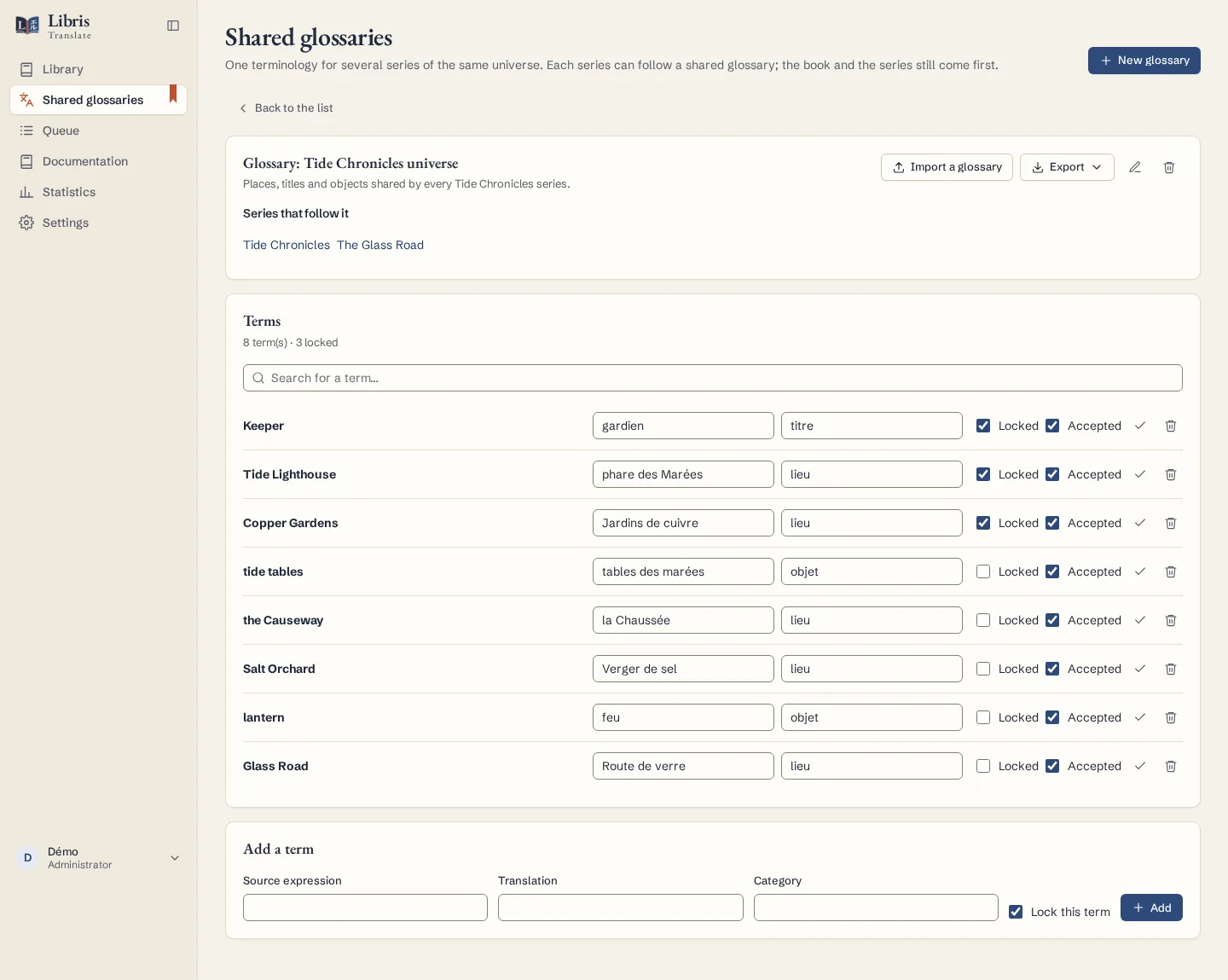
- Create shared glossaries from Shared glossaries in the sidebar. Give one a source and target language and it only applies to volumes of that language pair.
- “Terms applied to this book” shows every term the translation receives, the level it comes from (Book, Series, Series decision, Override or Shared glossary) and what it replaces.
- “Import a glossary” reads JSON, CSV or TBX and shows a preview: terms read, new, unchanged, conflicts, duplicates and invalid rows. Nothing is saved before “Apply the import”. “Export” writes JSON, CSV, CSV for spreadsheets or TBX.
What to know
Precedence runs from the book to the series to the shared glossary. A locked term from a wider level beats an unlocked term the analysis proposed; a volume override or a series decision always wins. On an import conflict, a locked term is replaced only if you choose “Replace everything, locked terms included”. Saving a term marks the passages concerned for reevaluation, and Libris Translate counts where the old word still appears so that you can replace it without calling a model.
Fictional example
Lock “Tide Council” → “Conseil des marées” in a fictional shared glossary, have two series follow it, then check under “Terms applied to this book” that a volume receives it from the shared glossary.