
Libris Translate 0.28.0 · User guide
Chapter structure
Tell chapters, parts, prologues and interludes apart, and keep the reading order right.
Steps
- When one file holds several chapters, Libris Translate proposes to split it at its headings. Tick “Split into … chapters” to apply the split, then use “Merge with the previous one” or “Restore the break” wherever a cut is wrong.
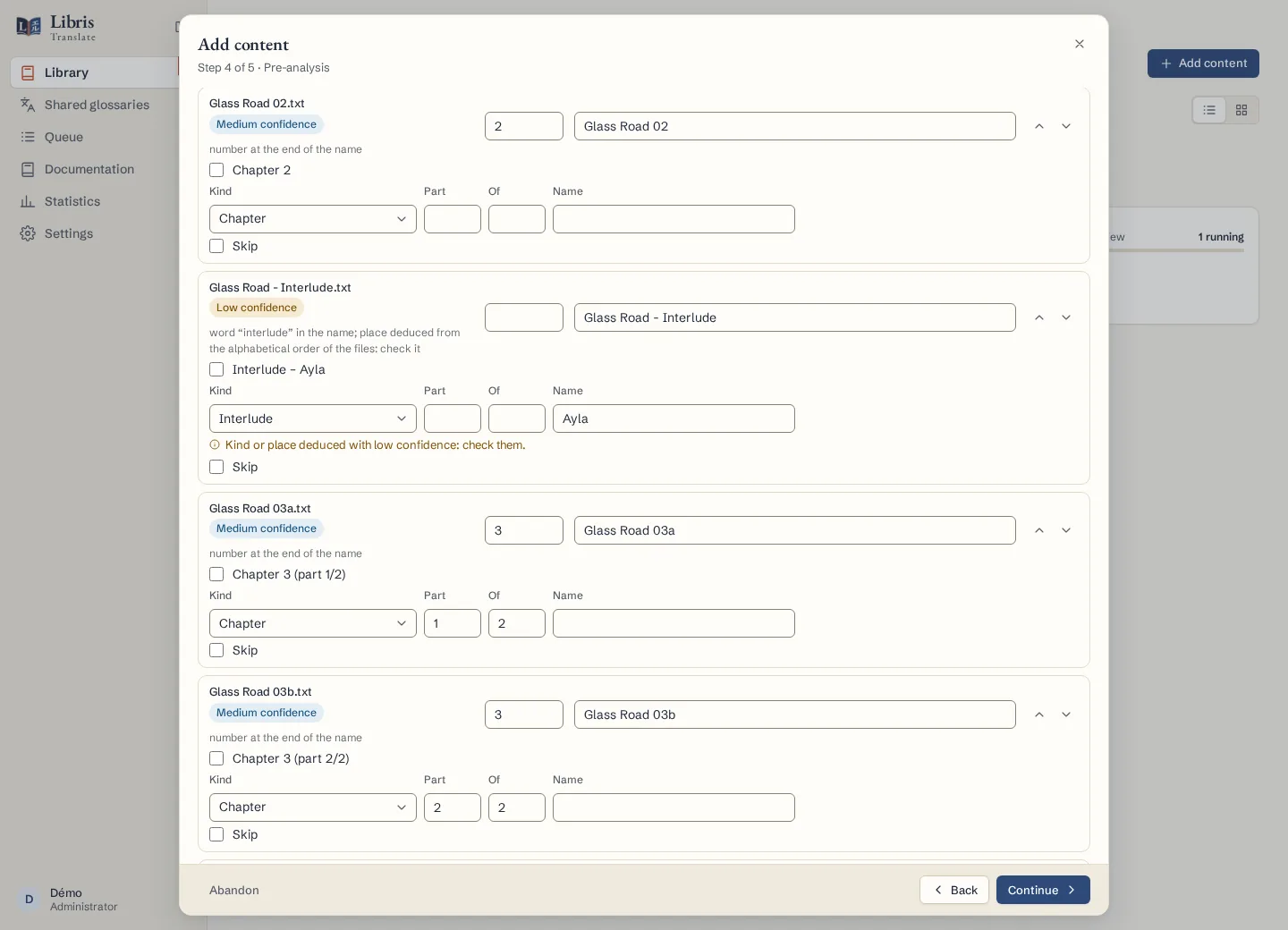
- Give each file its kind: Chapter, Prologue, Interlude, Side story, Extra, Epilogue, Afterword, Author’s note or Front matter. A kind or place deduced with low confidence is flagged for you to check.
- For a chapter published in several parts, select its files, enter the chapter’s number under “Parts of chapter” and click “Make them its parts”. An unnumbered chapter follows the line before it, unless you choose “Insert after” and name a chapter.
- Click “Sort in reading order” to check the result. Later, the Chapters tab of the series page lets you edit the kind and place of any chapter.
What to know
Numbered chapters follow their number and part; a prologue, an interlude or any other unnumbered chapter follows the line before it. When you export a range of chapters, “Join the parts of a chapter” turns a chapter published in several parts into one chapter under one heading. A range is always a book written by Libris Translate, without the images or styling of the original EPUB.
Fictional example
A fictional file holds “Chapter 12 (part 1)”, “Interlude: The Keeper” and “Chapter 12 (part 2)”. Mark the two halves as parts of chapter 12 and insert the interlude after it; an export from chapter 12 to chapter 13 then shows chapter 12 as one piece.