
Libris Translate 0.28.0 · User guide
Category: Manage Libris Translate
Budgets and currency
Cap what the model providers cost you, separately from the licence quota.
Steps
- An administrator chooses the “Installation currency” under Settings › Budgets. Provider prices are entered and every amount is shown in it; a price list in another currency is converted at the European Central Bank reference rate.
- In the same tab, set the “Default cap of a book”, the “Switch threshold (%)” and what happens when an “Estimate above what is left”: “Warn and launch” or “Refuse the launch”.
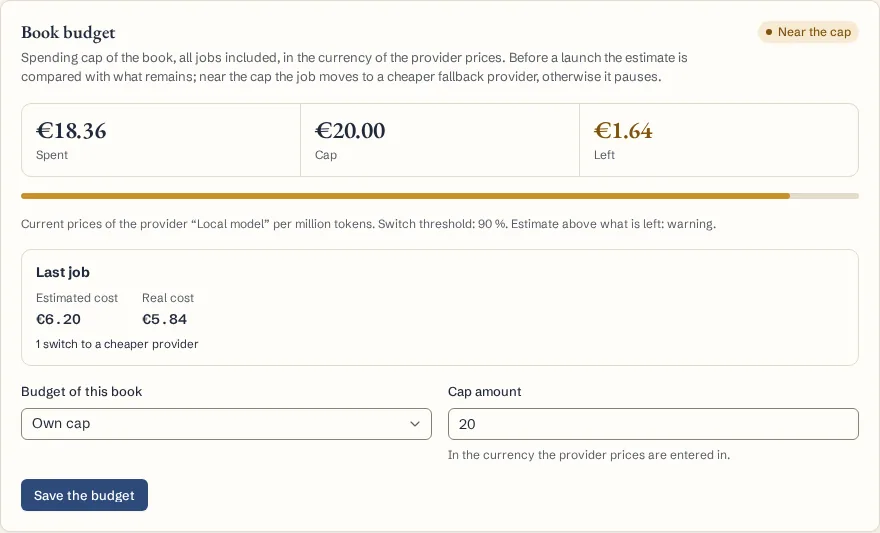
- The book’s owner sets its budget in the book’s Settings tab: “Installation setting”, “Own cap” or “No budget for this book”. The card shows what was spent, the cap and what is left.
- At the threshold, 90% by default, a job moves to a cheaper provider of its fallback chain, or pauses when there is none; at the cap it pauses. Raise the budget, then click “Resume”.
- An API token can have its own budget, “Per month” or “Over the token’s life”. Once it is reached, a request that would start work is refused with HTTP 402.
What to know
A book’s budget covers everything it has cost, every job included. A provider without prices counts as zero, so the budget cannot stop it. Changing the installation currency says what the numbers already saved are; it does not convert them. Calls already under way and the estimates themselves make a budget a safeguard, not an exact billing limit. Every switch or pause is recorded in the autopilot’s decision log.
Fictional example
Give a fictional demonstration book a small budget, check what is left before requesting another review, and watch the job switch to the backup provider at 90%.