
Libris Translate

Self-hosted literary translation for whole books and long series.
Website: libris-translate.com (en français)
Libris Translate (Libris for short) turns an EPUB, a folder of webnovel chapters or a JSON payload into a translated book, using the language model you choose. It reads the book first, builds a memory of its characters, places and terms, and keeps that memory across the volumes of a series, so that a name translated in volume 1 is still the same in volume 7. An autopilot takes each book from import to a downloadable result with no step for you to validate; you can still read, correct and lock anything you like, and your corrections always win.
Your library is stored on your server. Model requests send the relevant passages and context (including glossary and bible excerpts) to the providers you configure. Optional integrations, such as external memory, mail and delivery, send the data required for the features you enable; self-hosting does not make an external provider local.
What it does
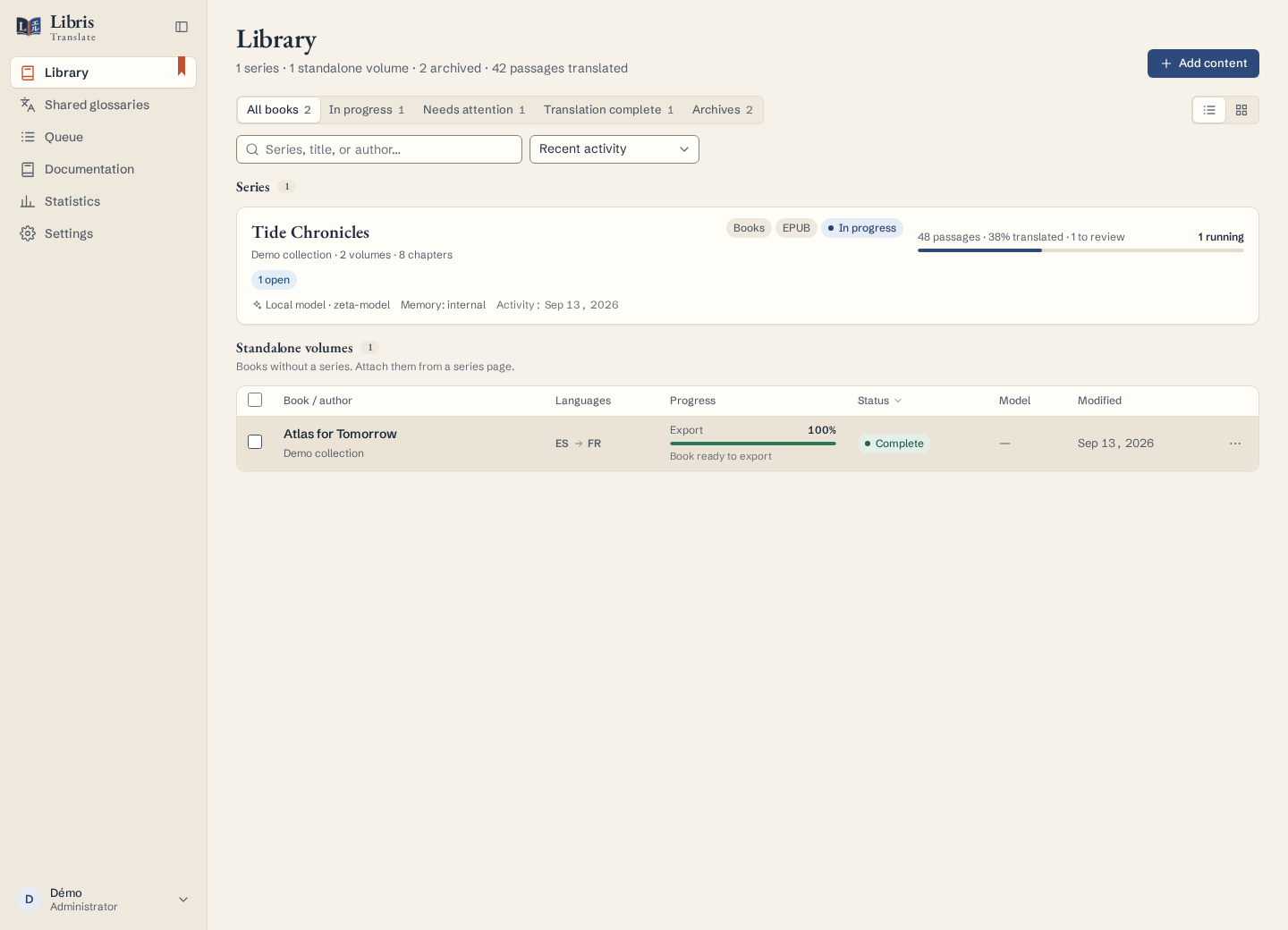
- A library of series. Series hold numbered volumes or a continuous flow of chapters. A guided import inspects your files first, proposes the series, the volume or chapter numbers and a chapter map (parts, prologues, interludes, side stories, afterwords), can split one big file into chapters at its headings, and creates nothing until you confirm. Suspend a whole series once to stop new paid work, including automatic source-watch launches, while keeping every volume readable and editable.
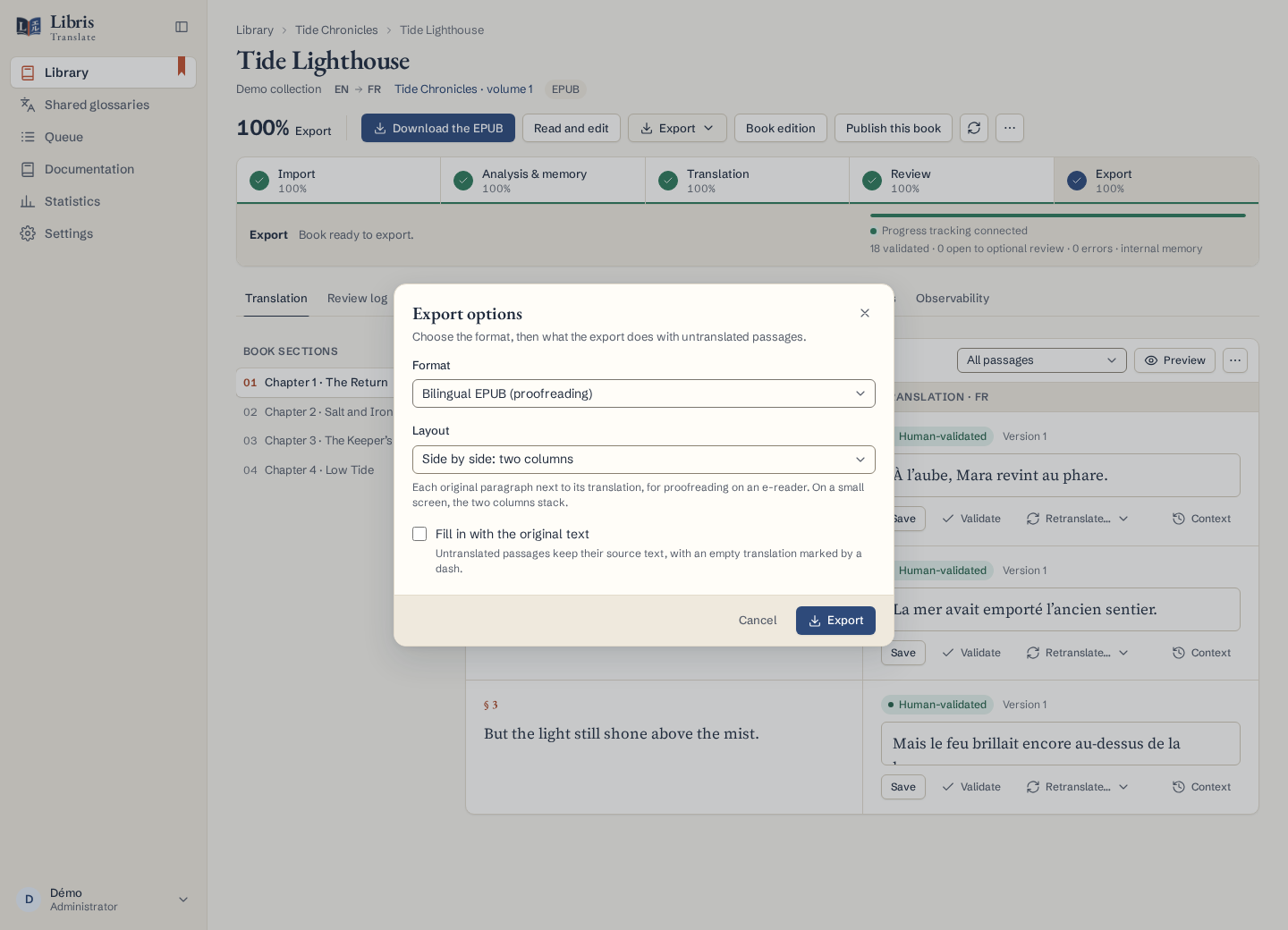
- Many sources, faithful output. EPUB 2 and 3, TXT chapters, Markdown, HTML and DOCX chapters, and JSON sent through the automation API. EPUB layout, styles and resources are preserved and the result is checked with EPUBCheck; text exports keep the chapter layout. A bilingual EPUB (source and translation paragraph by paragraph, interleaved or side by side) is available for every volume, for proofreading on an e-reader.
- Context that carries over. A Book Bible per volume, a Series Bible, character identities and relations, and a glossary at three levels: the book, the series, and shared glossaries followed by every series of a universe. A volume only learns from the volumes before it, never from later ones.
- Fast analysis, no spoilers. A volume’s passages are analysed side by side, then each is reconciled with what the passages before it established, so a long serial is read several times faster without a later reveal leaking into an earlier passage.
- Follow a webnovel as it is published. New chapters sent to a translated volume are placed in reading order and translated alone, with the earlier chapters as context; nothing already delivered is paid for again.
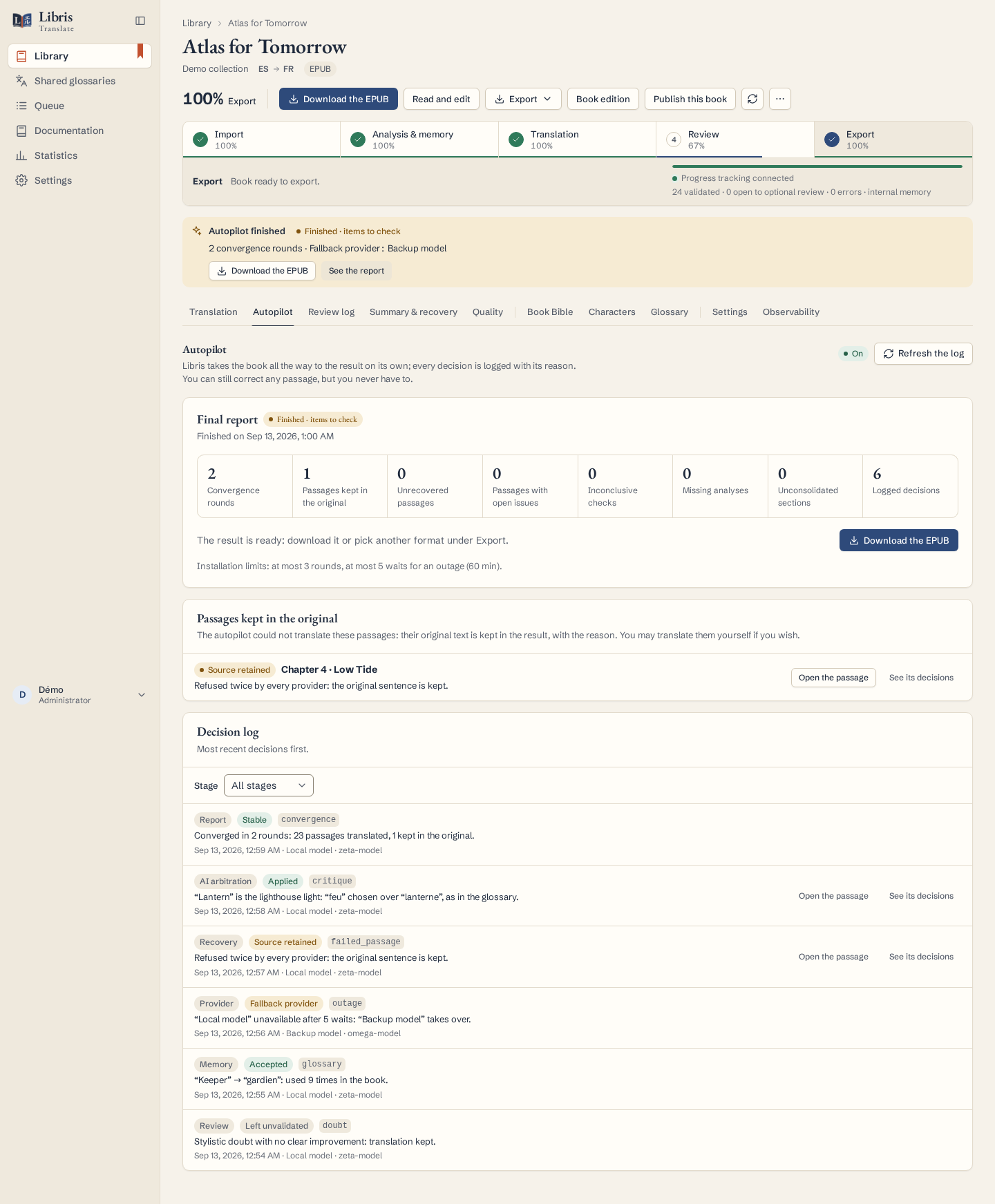
- An autopilot. Analysis, translation, review, a final AI review and AI arbitration run on their own. If a provider fails, Libris waits, retries and switches to fallback providers; a passage nobody could translate keeps its original text, with the reason written in the report.
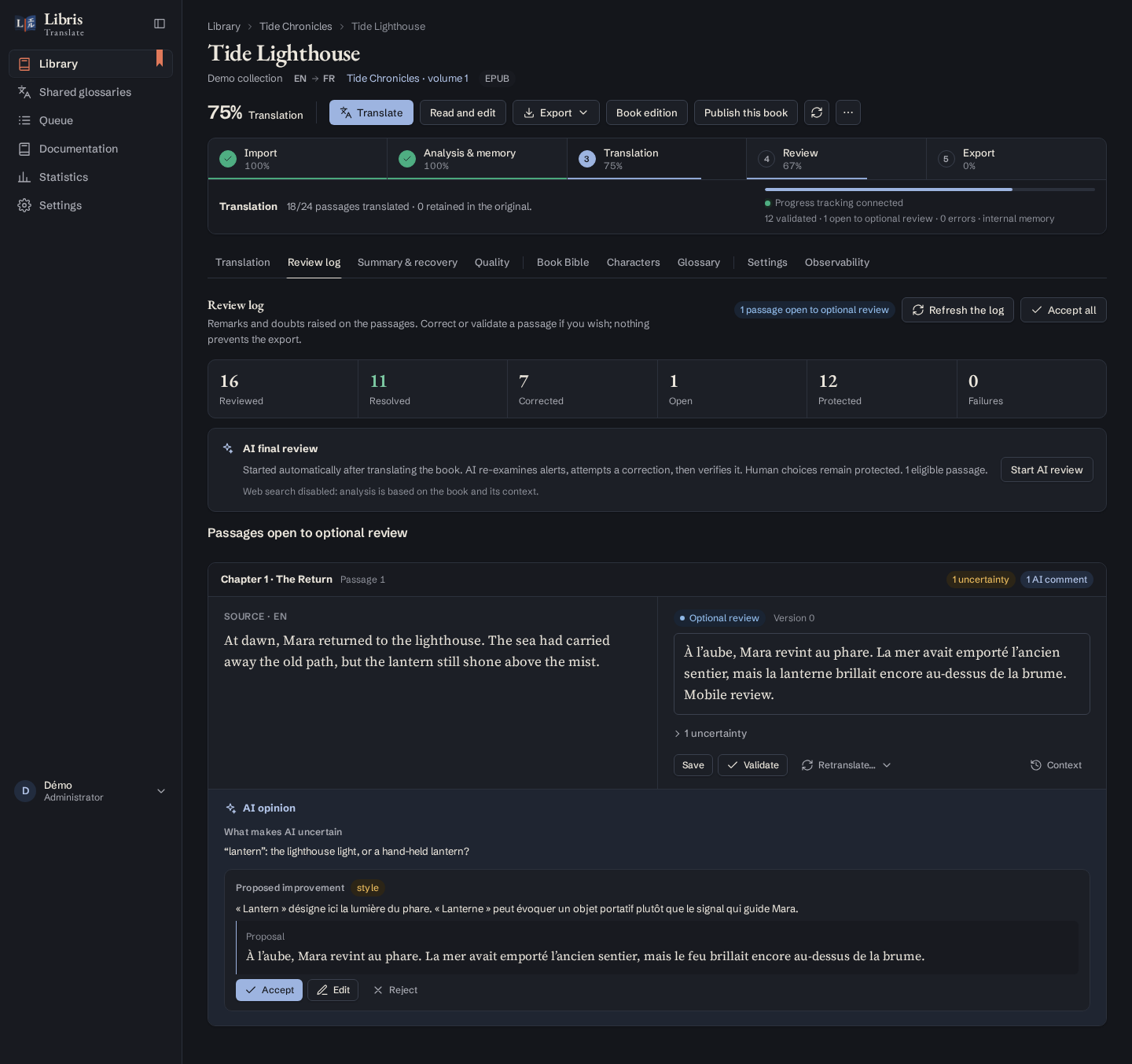
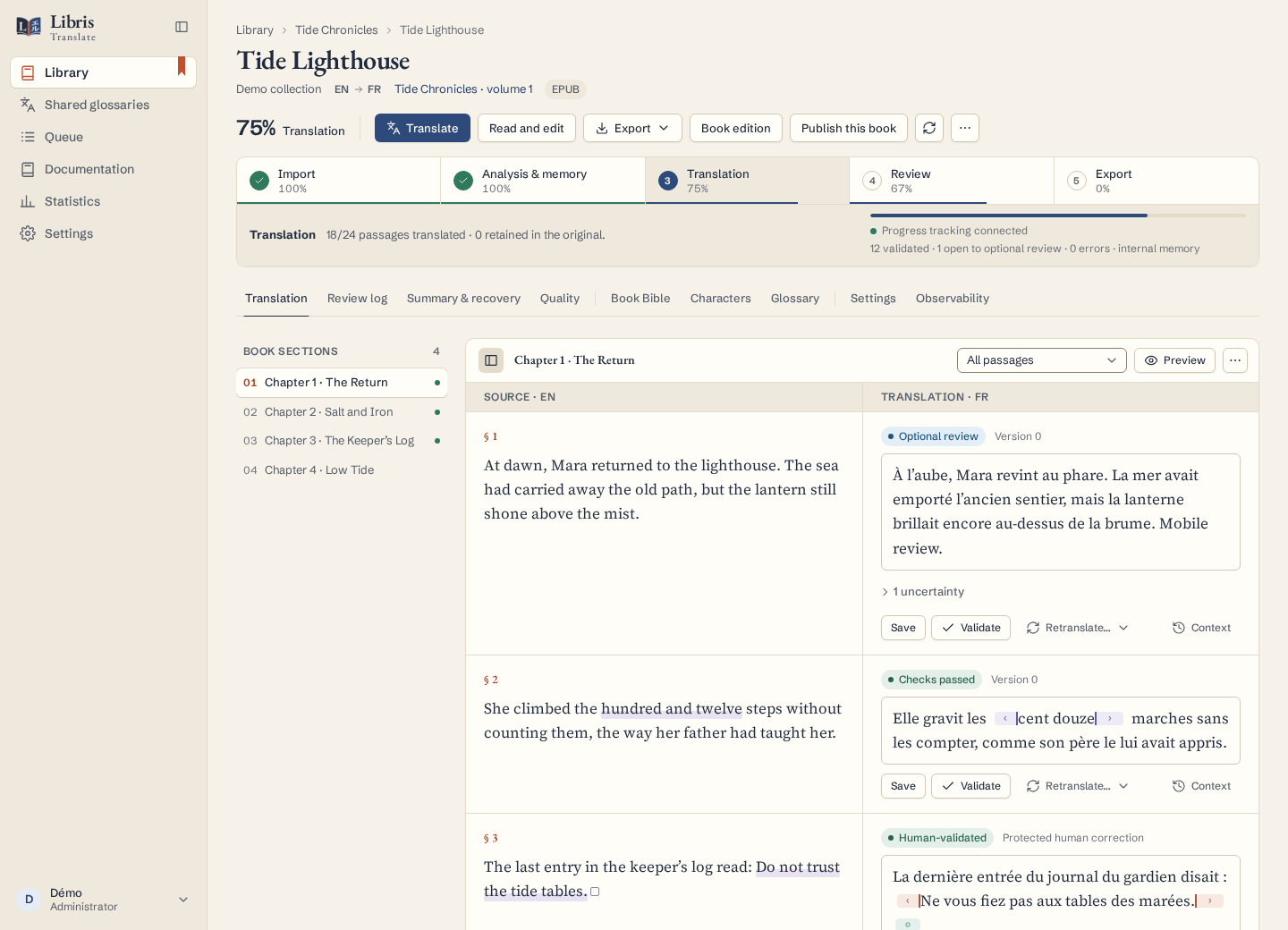
- You stay in control. Compare source and translation side by side, edit with version history, accept or refuse AI suggestions, lock terms, and see every decision the autopilot made. A quality score for every passage, and dashboards per book and per series, tell you where to start proofreading. A chapter reader also supports inline correction; concurrent edits keep your draft and ask you to resolve the conflict.
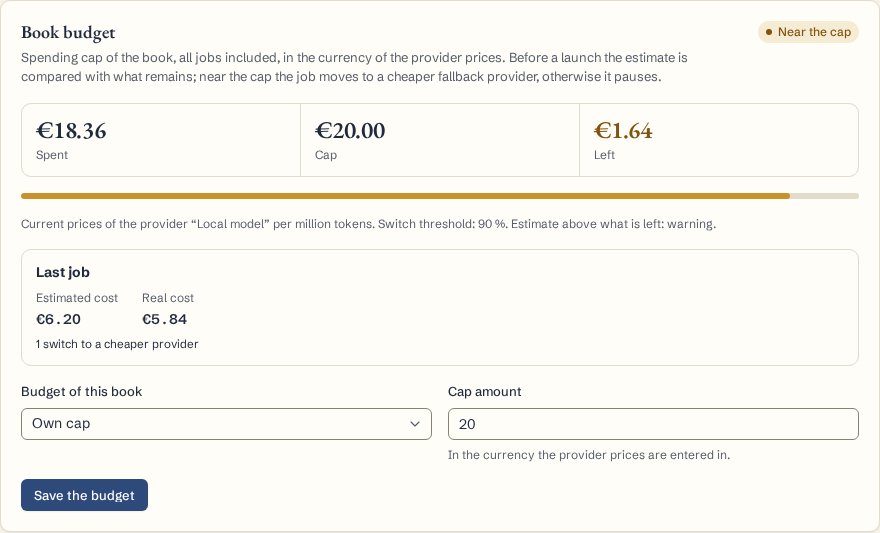
- Your model, your costs. OpenAI-compatible servers (local or hosted), the OpenAI and Anthropic APIs, and an optional Codex/ChatGPT connection. Each provider has its own concurrency limit and prices, paid operations show a cost estimate before they start, and a spending cap per book or per API token moves a job to a cheaper provider or pauses it when the cap is reached. Already admitted concurrent calls may finish and exceed a cap: it is not a prepaid reservation of the provider’s balance.
- Built to run for days, for several people. Persistent jobs with checkpoints survive restarts; pause, resume and retry never lose finished work. A fair queue with priorities and per-account quotas keeps one person’s backlog from holding everyone else back.
- Automation. A versioned REST API with scoped tokens, idempotent requests, signed webhooks (including one per batch of translated chapters), a published OpenAPI description, a readable reference and an example client with nothing to install. The automation API and the MCP server come with the Studio and Pro plans.
- Driven by a coding agent. An MCP server (
POST /mcp) lets opencode, Claude Code or Codex read the library, configure a book, keep the glossary, start and steer the work, with the same scoped tokens as the REST API — a token that reads cannot delete. See docs/mcp.md. - French and English interface, light and dark themes, usable from phone to wide screen.
- Accounts and mail administration. Local usernames, recovery emails, passwords and authentication factors have administrative controls; SSO identities remain with their identity provider. Configure SMTP, send a queued test and inspect failed deliveries without exposing message bodies or stored passwords.
| Autopilot report | Review log | Side-by-side editor |
|---|---|---|
 |  |  |
| Quality dashboard | Chapter map of a webnovel | Fair queue |
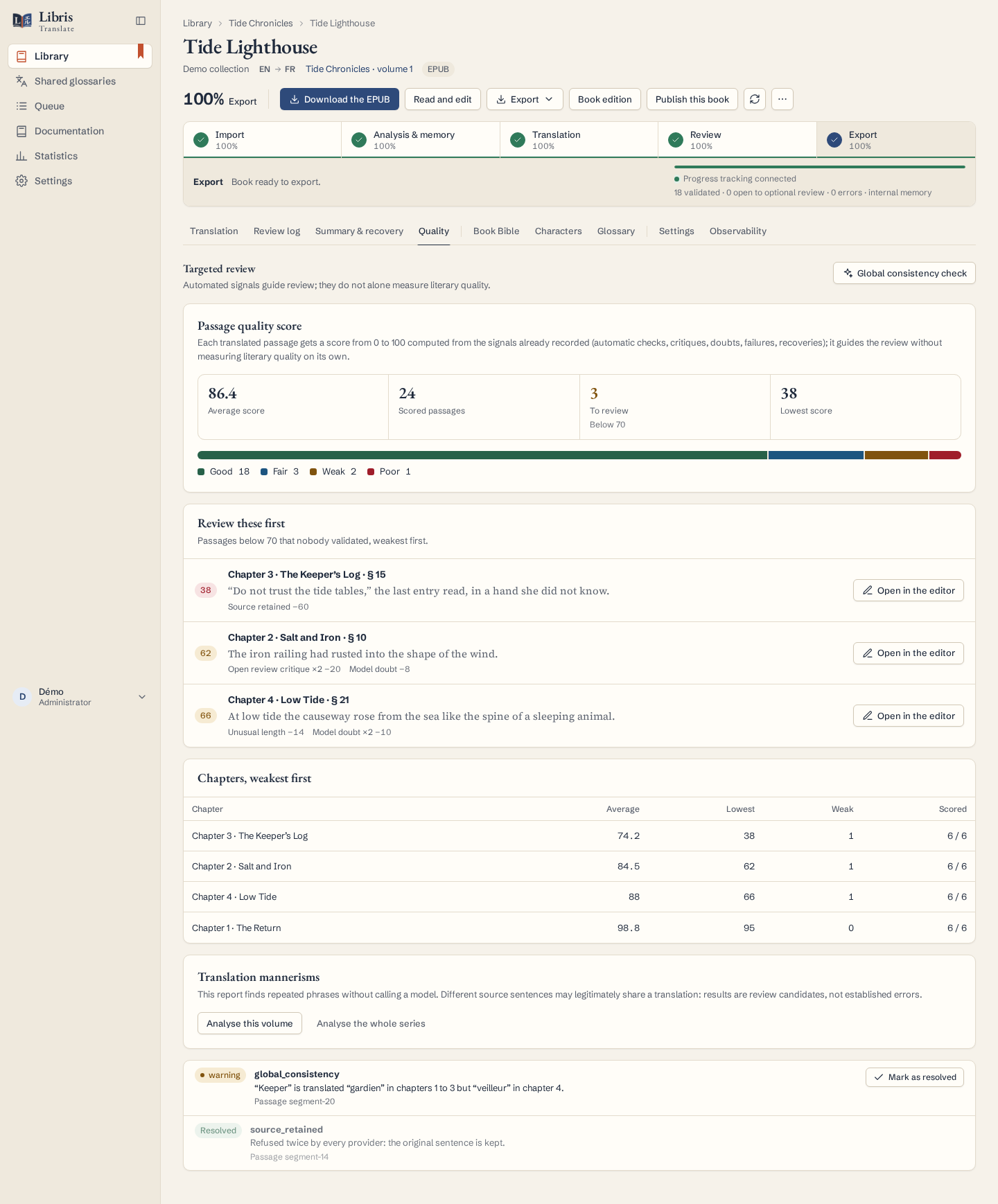 | 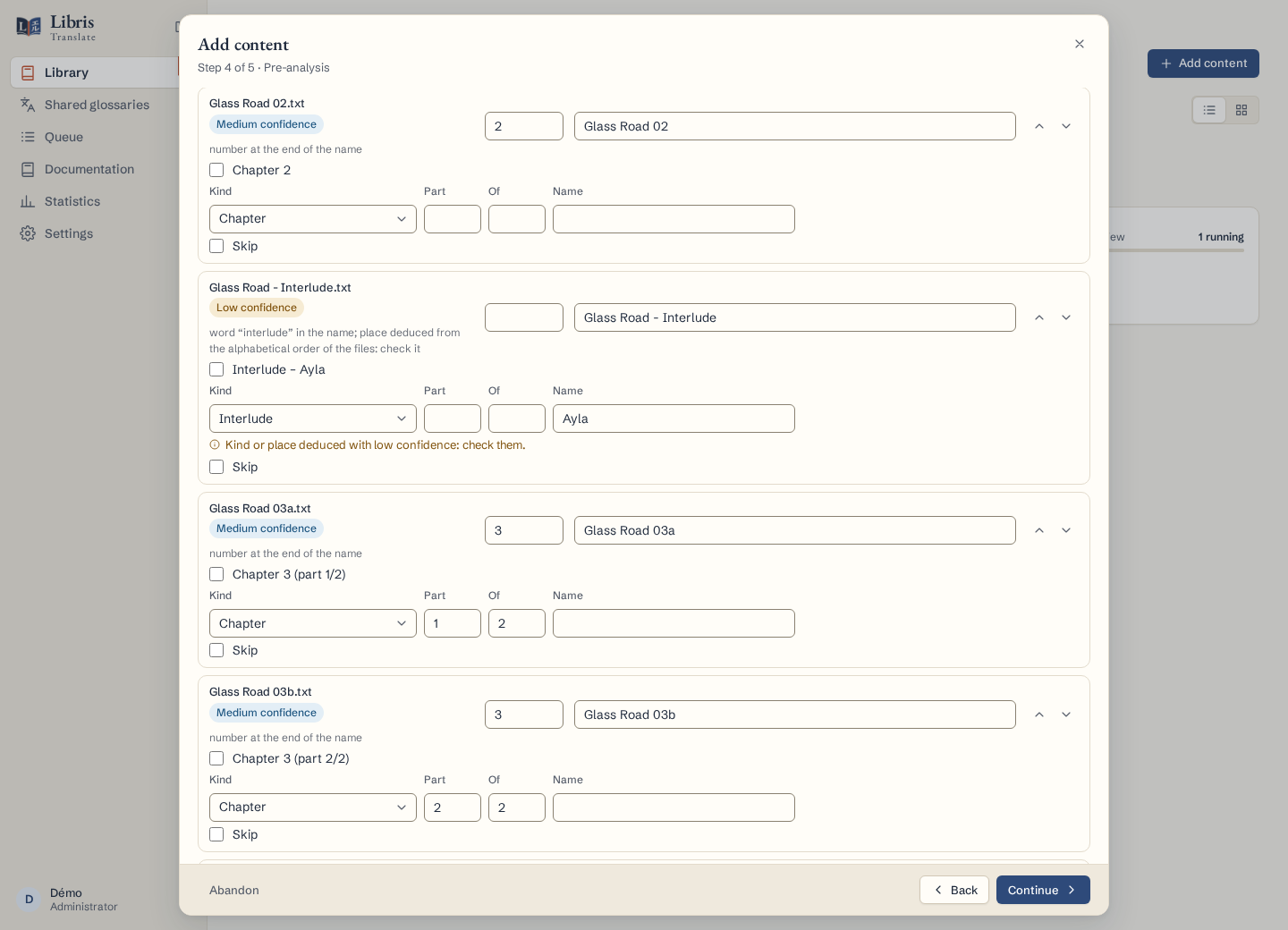 | 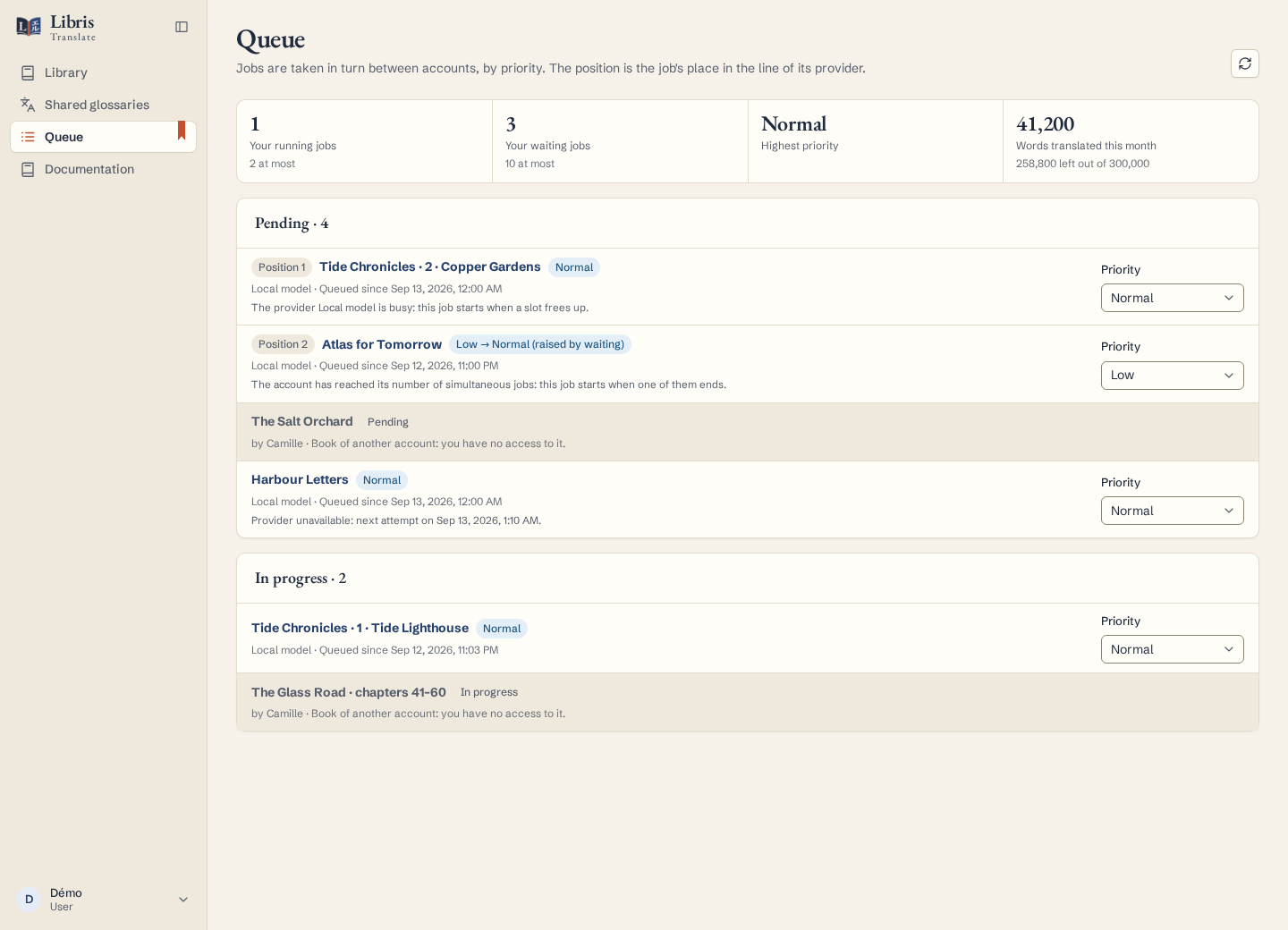 |
| Shared glossary | Book budget | Bilingual EPUB export |
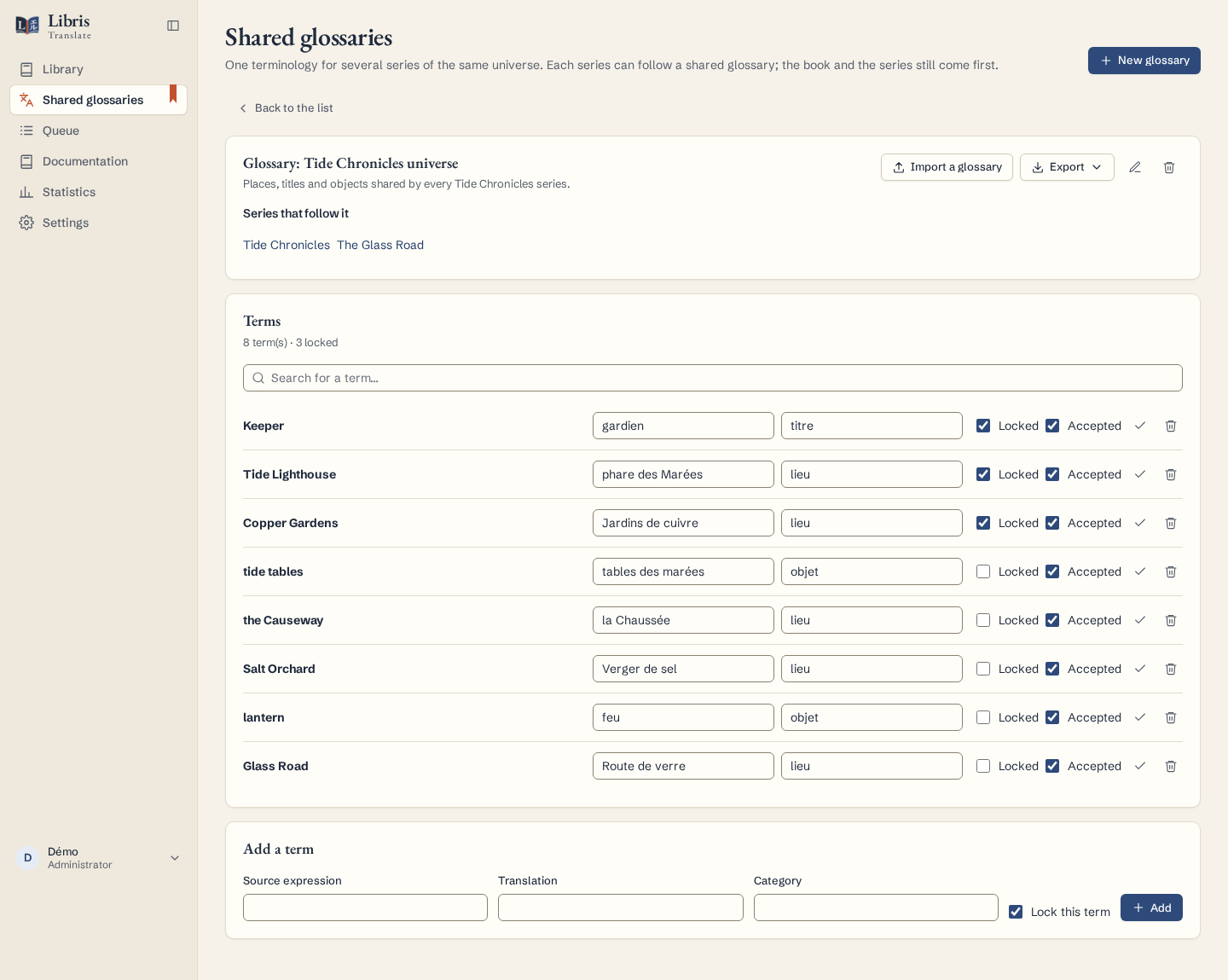 |  |  |
Screenshots are generated from fictional books by frontend/e2e/showcase.spec.ts.
Quick start
You need a Linux (amd64) machine with Docker Engine and Docker Compose v2, and access to a language model. No GPU is needed on the Libris server when the model runs elsewhere.
A licence — bought, or a trial asked for on the website — comes by email with two things: the key you type in Settings › Licence, and read-only credentials for the licensed registry. No source archive or Git checkout is required. Run:
curl --fail --location --silent --show-error https://libris-translate.com/install.sh | sudo bash
The bootstrap first reuses a valid registry login already stored by Docker. If none exists, it asks for the
read-only username and token directly through the terminal. It then pulls the current stable
registry.libris-translate.com/libris/libris:latest image and resolves it to an
immutable digest, creates /opt/libris/.env with generated secrets, then starts the stack. A retry or update keeps
the configuration, secrets and Docker volumes. To remain on the current public release instead of following future
stable releases, use LIBRIS_TAG=0.28.0:
curl --fail --location --silent --show-error https://libris-translate.com/install.sh | sudo env LIBRIS_TAG=0.28.0 bash
Open http://localhost:8088 on the same machine and sign in as admin with the BOOTSTRAP_PASSWORD in
/opt/libris/.env (sudo grep '^BOOTSTRAP_' /opt/libris/.env). On a remote server, open an SSH tunnel first
(ssh -L 8088:127.0.0.1:8088 you@your-server); for LAN or HTTPS access, follow the
Docker guide.
Then activate the licence and translate a first book:
- Settings → Licence (Paramètres → Licence): type the key from your licence email and click Activate.
- Settings → LLM providers (Paramètres → Providers LLM): add your model’s endpoint, model name and key.
- Add content in the library: pick an EPUB or chapter files, choose a series, check the proposed numbers.
- Choose the provider and languages, then Import and run the whole pipeline.
- Follow the progress on the book page and download the result when it is ready.
Only import books you have the right to translate. Output quality, languages, speed and cost depend on the model you use.
Documentation
Everything else is in the documentation index: installation and configuration, day-to-day operations and backups, how the autopilot works, the automation API, the architecture, and a complete user guide in French.
Support
For help, write to support@libris-translate.com from the address your licence was sent to; for a licence or a quote, to licences@libris-translate.com. Report a vulnerability privately as described in SECURITY.md. Changes are listed in CHANGELOG.md, and how the code is built and released in development.md.
Licence
Libris is proprietary software (LICENSE). A licence key grants the right to install and use it, on the machines and within the limits that licence states: a number of words per quota cycle (a month that starts on the day the licence started), machines, accounts, and, with the Studio and Pro plans, the automation API and book sharing. The plans and their numbers are on the website; how Libris applies them is in the configuration reference. It may not be redistributed or offered as a service to others.
What you translate is yours. The books you import, their translations and everything Libris produces from them are subject to no restriction here. Licence checks send installation identity and usage information, not book text; configured model providers and optional integrations are separate recipients as described above. The rights to the original works are your responsibility.
Without a valid licence, Libris stops translating — but it keeps giving you what it has already produced. Your books stay readable, exportable and deletable. You never lose a book.
Third-party components keep their own licences (THIRD_PARTY_NOTICES.md).